
Scripted services & tools for Second Life creators.
Shop
A vendor system and much more built with a special brand first focus.


More coming soon
Debut will be packaging and making available more useful tools and services soon!
What is Shop by Debut?
For the past 10 years, Shop has successfully powered the vendors of stores such as Lelutka, Maitreya, Riot and Blueberry to name some, as well as my own brands like Jian and now PETHOUSE.Shop is first a vendor system that focuses on brand building and customer loyalty as well as more invisible but important concerns like dedicated server resources per brand for their unique amounts of load.Brand building is core. Your customers interact with Shop through your branding everywhere possible rather than Debut's.Your customer's personal pages happen through your own custom domain, with your logos and descriptive text.All in-world messaging from scripts happen through objects named with your branding, with customized text for your unique tone and touch.Customer loyalty is core as well. Not all of your customers are the same, and Shop provides you tools to segment your customers by qualities important to you to then target with discounts, bonuses, coupons and rewards.Shop also focuses on you the owner and your staff, providing you a dashboard with tons of product and promotion management features, as well as detailed analytics and logs on all that you do.For your support staff, Shop offers personal accounts with a restricted set of tools to provide frequent customer support actions such as redelivery, purchase creation, credit alternations and more.
I'd like to try! What's the cost?
Stop by our in-world shop at this slurl and grab the package needed to start a free demo! Please be sure to follow the guide as well on how to get started and common workflows.The limits and differences of the demo and paid version are listed below.
| Demo | Subscription | |
|---|---|---|
| Price | Free | L$25,000/month per brand |
| Staff Members | 3 | Unlimited |
| Import Data | Yes, 500 sales | Yes |
| Export Data | Yes | Yes |
| Marketplace Integration | No | Yes |
| Custom Domain | No | Yes |
| Branded Logos | Yes | Yes |
| Detailed Analytics | All | All |
| Live Purchase Stream | Yes | Yes |
| Delivery Storages | 2 | Unlimited |
| Vendors | 10 | Unlimited |
| Products | 10 | Unlimited |
| Product Groups | 2 | Unlimited |
| Redelivery Reminders | 2 | Unlimited |
| Credit Checkers | 2 | Unlimited |
| Reward Givers | 2 | Unlimited |
| Gift Card Makers | 2 | Unlimited |
| Customer Segments | 3 | Unlimited |
| Discounts | 3 | Unlimited |
| Bonuses | 3 | Unlimited |
| Rewards | 3 | Unlimited |
| Coupons | 3 | Unlimited |
Your first sign-in
1. Visit us in-worldFind the Registration helper and click I’m new. Accept the Shop by Debut - Starter Package and open the private sign-in link you receive.Keep your sign-in link private. It gives access to your account.The Shop by Debut - Starter Package can be attached to your HUD and clicked to unpack a folder with the scripts and objects you need to proceed.


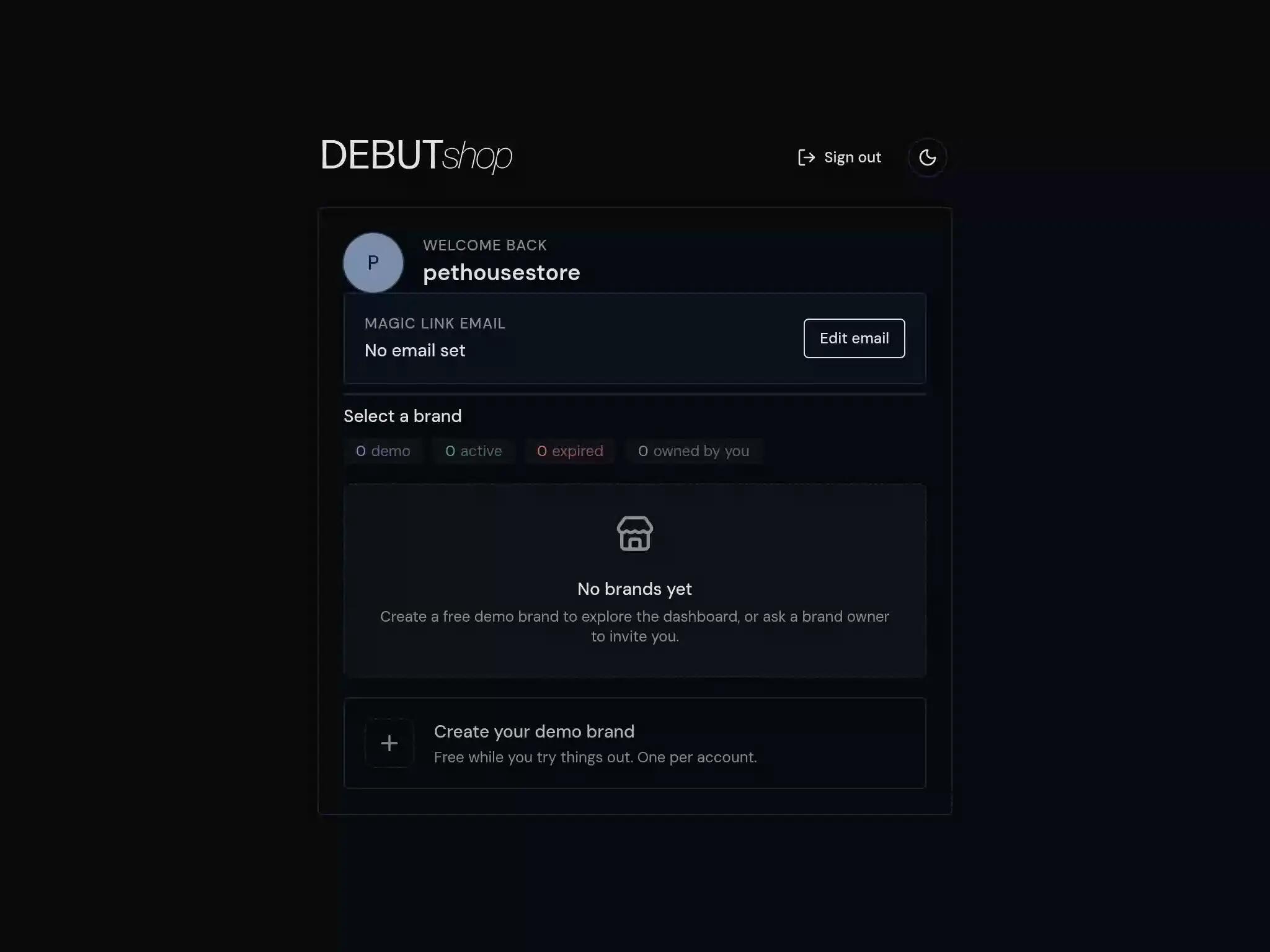
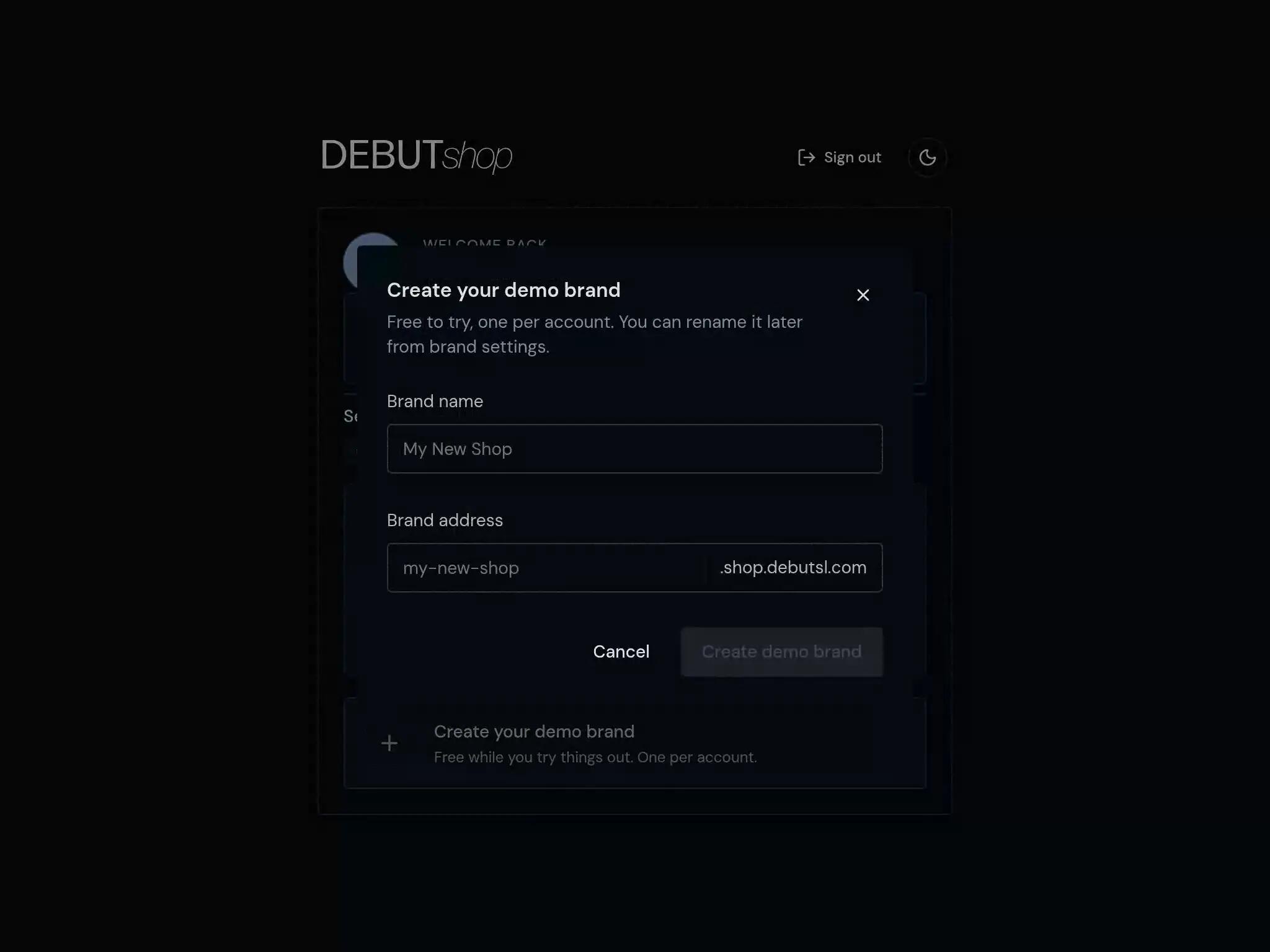
2. Create your demo brandAfter clicking your magic sign-in link, choose Create your demo brand. Enter your Brand name, review the Brand address, and select Create demo brand when the address is available. Each account can create one free demo brand.

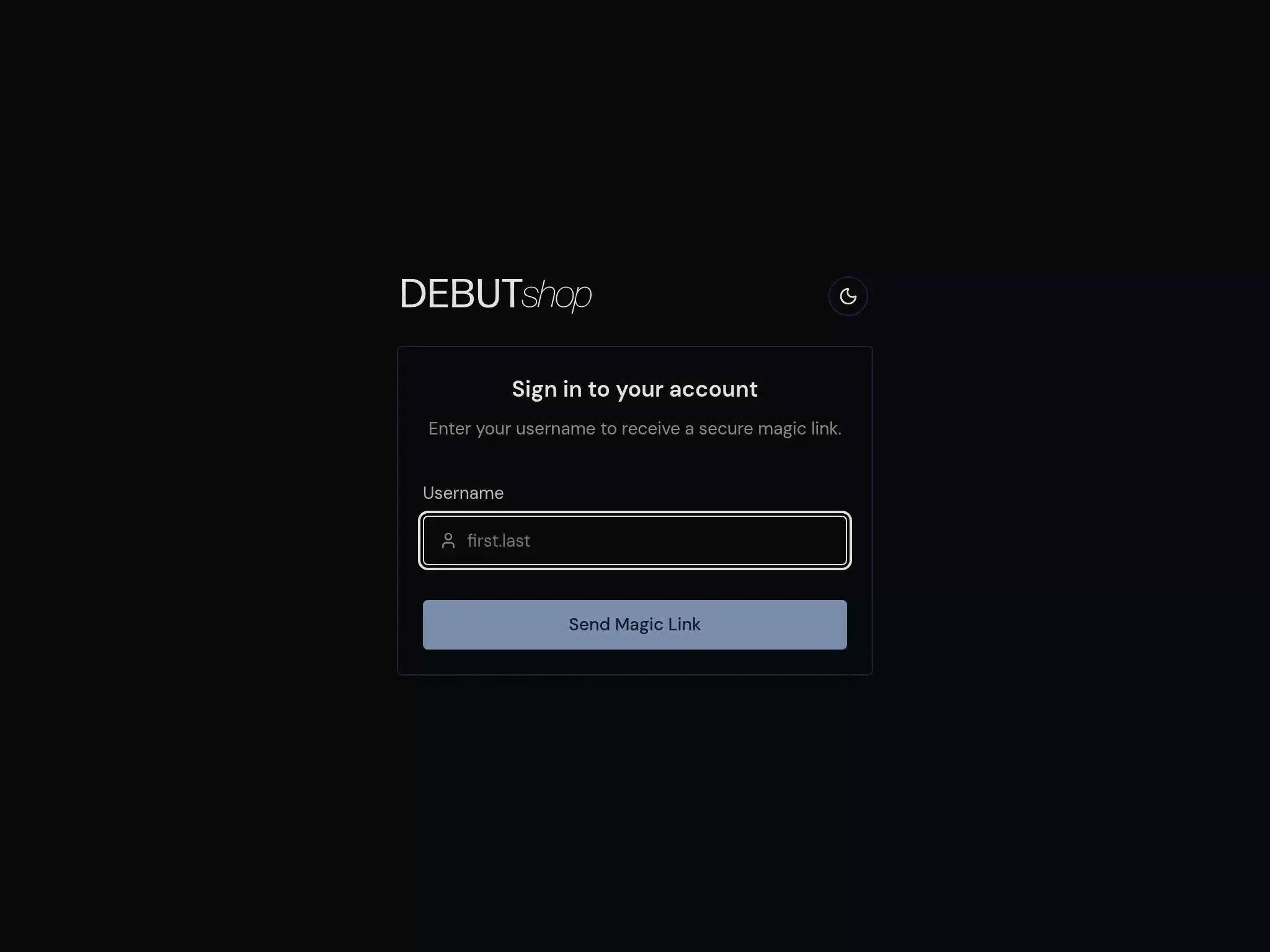
3. (Optional) Signing in without a magic linkYou can always just visit the Shop admin dashboard and request a magic sign in link that way.

Your first vendor
1. Set up the Shop ManagerRez the Shop by Debut - Shop Manager object from your Shop by Debut - Starter Package. Read the debit permission prompt and accept when ready.This is the one and only object you'll give debit permissions to instead of hundreds or thousands of individual vendors.The Shop Manager will handle automatic refunds for double purchases, manual refunds you give on the dashboard, splits you setup to distribute to any business partners, L$ back from any promotions you create, and it also allows you to start and extend your Shop subscription.Once setup, you'll receive a link to confirm it's status on your dashboard, and can always find it at In-world > Shop Manager.


2. Setup a VendorRez your object that you'll use as a vendor.Give your vendor object a name, and in its description field a price you'd like to sell your item at (you may optionally provide the name of a vendor template you've set up).Put both the Shop by Debut - Vendor and Shop by Debut - Network script into your vendor object, and setup will proceed and complete!


3. Setup a Delivery StorageTo actually have a purchased product delivered, rez your first Shop by Debut - Delivery Storage (Rename me!) object from your Shop by Debut - Starter Package.Optionally, you could place the Shop by Debut - Delivery Storage and Shop by Debut - Network scripts into any object you'd like to put your deliverable products into. This is more common when coming from a different system, and wanting to replace other scripts.Place your first boxed product(s) inside. By convention, the name of these boxed products should be the same name as you intend to use for vendors later on. In this example, the vendor is named PETHOUSE - Chihuahua Fatpack and the boxed product is named the same, but you can use a different name for your vendors if you manually set a deliverable product on the dashboard later.


4. Test a purchase!Make a purchase with your vendor and you should receive a delivery.You'll find your purchases at Dashboard > Purchases and queued deliveries at Dashboard > Deliveries.


Make it yours
1. Add your logosHead to Administration > Settings > Images and replace the default Debut logos with your own.You'll provide wide/banner logos and smaller/square logos. You can provide a light and dark mode variant of each, but if your logos fit either light or dark, feel free to re-use the same images for each variant as we do in this example.


2. Add your store SLurlHead to Administration > Settings > General and fill in your store SLurl.This is optional, but will help customers arriving at your brand's landing page find you in-world.


3. Add your domain nameAlso in Administration > Settings > General you'll find instructions on configuring a domain name that you own and have registered elsewhere.This too is optional, but will further allow you to operate entirely through your own branding.


4. Customize your messagesHead to Administration > Settings > Messages and you'll find the ability to customize all messages scripts send to your customers.This is optional and the defaults are good, but if ever you'd like to tweak anything you may.


5. Invite your staffIn Administration > Users you're able to invite your staff members by their Second Life avatar name and UUID. They'll be provided a magic link to sign-in if it's their first time, and then the ability to accept the invite or not.The Admin role will allow almost every ability you the Owner has except data imports and exports.The Manager role can only see and use the Manage and Support sections of the Dashboard.The Support role can only see and use the Support section.


...and more
These docs will be continuously updated with common and advanced workflows and highlights of new features.The best way to learn though is to try a demo!
Migration
What is Debut? What is Shop?
Debut is the name of my scripting brand. Shop is the name of the vendor system it provides. This just brands and replaces "Ashur's vendor system".After nearly 10 years of operating a vendor system that was initially built to replace E2V in a hurry, I've built an upgrade that combines and focuses better on all the ways we operate our stores. A lot of your feature requests and custom modifications over the years have made it into a single new version.At the time of this writing (October '26), the new system has been stable running my own personal brands and other brands such as Lelutka since early summer with plenty of feedback and issue squashing.
Uh oh.
First, if you'd like to continue operating the vendor system you have now, you may continue with no changes other than price and how payments are made.Some of you have been on the vendor system for close to 10 years, and in that time, hosting costs have crept up along with L$ and USD related fees. This has accelerated and continues to due to the AI economy.Going forward the old vendor system will cost L$20,000 a month and will require monthly payment (or paying ahead) with the Shop by Debut - Shop Manager object you'll find in a package I'll provide for the new/updated system. It's the only object you'll have to use if sticking with your existing setup.The next payment date should be accurate, but if not please message me and I will correct.
What's new? What's the same?
Each brand still receives separate database resources as to not hamper one another's performance.Each brand is still completely white labelled to their customers, who'll only ever see your branding and never Debut's.One significant change however is that you the owner and your staff will login at a new admin dashboard. This allows one person to own or be apart of multiple brands in different roles. You and your staff will only need one login to manage any number of brands.The new admin dashboard comes with better analytics, and a lot of features centered around building and running main stores.Store-wide sales still exist as Discounts.Rewards are new and allow you to give free items to customers that meet highly customizable criteria.Bonuses are like your existing standard and group credit bonuses on each purchase, except now you can flexibly change when those bonuses trigger, and to whom they trigger for.Coupons worth L$ back on purchases, credit bonuses or free products can be generated and codes given as prizes to customers, perks to bloggers or for whatever reason you'd like to.Better automations like refunding double purchases, mass deliverties, splitting, and providing your support staff with a limited set of tools to help customers have also been extended and improved.And much more now and to come.
How do I migrate?
I first invite you to read the regular new user FAQ and guide. If you're reading this then your account has already been configured and you can login and play around with the new scripts.If you like it enough to want to migrate fully, the next step will be setting up a time with me (ashur.constantine) to help you move your data and scripts over, so just reach out.You can expect the in-world process to last maybe 30 minutes to a couple of hours depending on how many vendors you have, but there'll be migration scripts available to help ease the process of changing over hundreds or thousands of vendors.
What's the cost?
The new monthly subscription fee will be L$25,000 whether you migrate or stick to the old system or do a mix of the two. There'll be no setup or migration fee.For some of you this is a price hike, for some it's even a price reduction. Either way, I completely respect and support any decision to not pay it and am willing to work with you to help migrate your data to another system while only being responsible for your usual rate until you finish moving if that's your choice.
Let's begin!
Message me where I messaged you!